Get started — branded portals, live files, and one Link through handover.
Product

For your client

Client portals Project pages

For your company

Invoices Contracts

Explore next-gen client delivery

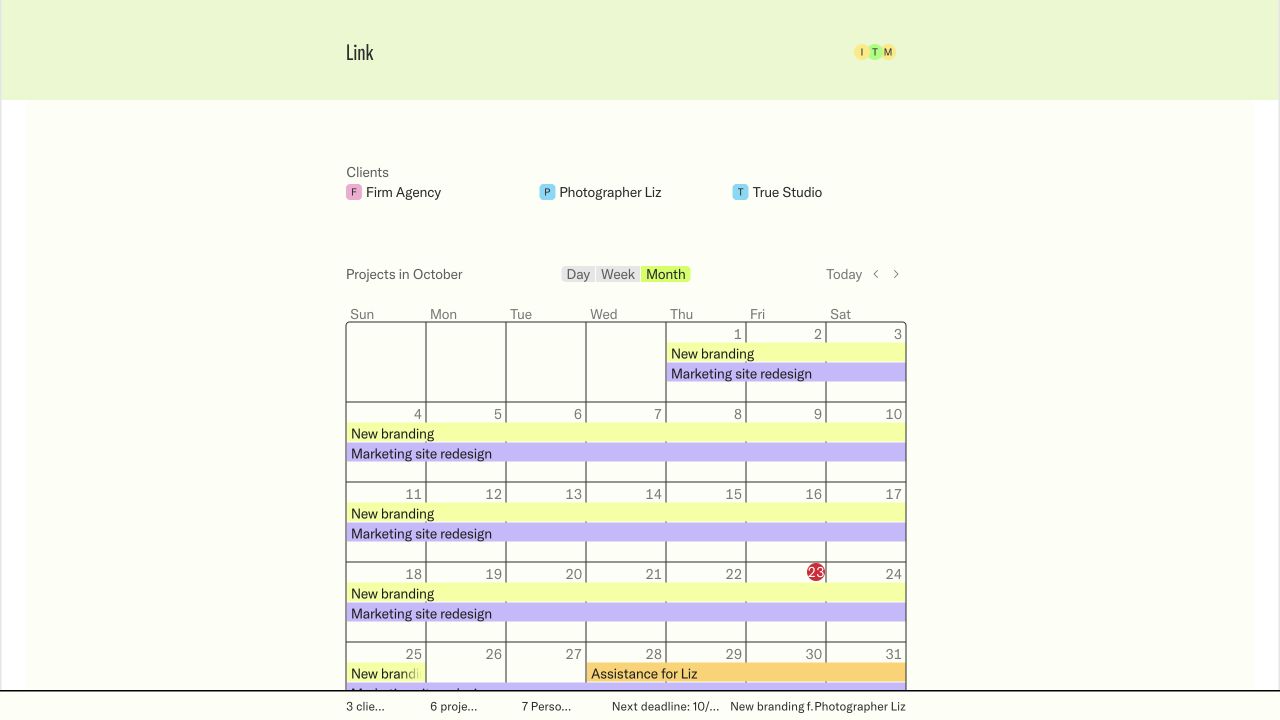
Client portals Give every client one clear home Project pages Keep status, people, and next steps clear Comments Discuss project work in context Estimates and approvals Review, comment, and approve without another email chain Calendar See projects and delivery windows at a glance
View as Preview exactly what clients and visitors can see Public redactions Hide sensitive details from public pages Access Share publicly or require email sign-in Present mode Present your work in your brand Branded emails Send client updates in your own brand
Solutions

For teams

Studios and agencies Keep every client and project in one clear place Client services teams Share progress without exposing internal tools Consultants and freelancers Give clients a polished home for the work

For your work

Project delivery Keep dates, files, and next steps connected Client communication Discuss decisions where the work lives Estimates and decisions Review and approve without another email chain
Turn your Notion workspace into a clear client experience. See how Link works with Notion ↗
Resources

Learn

What is Notion? See how Notion becomes the working source Help center Find practical guides for using Link FAQ Get quick answers about access, sharing, and setup

Explore

Link for Mac Keep your workspace in a dedicated Mac app Product overview See the complete client workflow About Link Learn why Link was built Get started Set up your workspace now
Link is designed for teams who want less client-work theatre. Meet the company ↗
Pricing Help center
Log in Onboard now
Explore
Product Download for Mac Solutions Resources Pricing
Company
About Link Request a demo
Account
Log in Get started
Help Center
Get started
  • Set up Link with Notion
  • Understand the workspace
  • Get started with Link
Deliver client work
  • Deliver a project
  • Keep project material in one place
  • Share a client overview
  • Publish a project page
Work with clients
  • Invite a client
  • Review and approve an estimate
  • Follow project activity
Public pages
  • Share a page publicly
Access & visibility
  • Public and private links
  • Workspace and client roles
  • Control page visibility
Customize Link
  • Brand your workspace
  • Choose workspace terminology
  • Use a branded portal address
Notion connection
  • Connect clients, projects, and people
  • Keep the template safe
  • Troubleshoot a Notion connection
Start here
  • Open a Link you received
  • Sign in to private work
  • Find your way around
Review work
  • Review a project
  • Review and approve an estimate
Access & sharing
  • Share a Link with a teammate

Product

Product overview What is Notion?

Support

FAQ Contact
I’m using Link as
Help Center › Get started

Get started with Link

Link is online now. Create an account, connect your Notion workspace, and set up your client portal.

2 min read

Anyone can create a Link workspace. Access to an existing private workspace or client portal still depends on an invitation from that workspace.

Create your workspace

Open Get started, enter your email, and use the verification code we send you. During onboarding, Link helps you identify your brand and connect a duplicated Link template from Notion.

Workspace access

New workspace owners Anyone can sign up and create a new Link workspace.
Workspace members Link admins and Link users sign in with the email assigned to their workspace.
Client users Private client portals still require an invitation from the workspace.

Existing workspaces

Open your branded workspace address and sign in with the email your workspace admin invited. If another email is active, choose Sign in with another email. Link keeps you on the workspace address instead of sending you to a marketing page.

If the correct email is not recognized, ask a Link admin to confirm the People entry, role, workspace, and client assignments.

Get help

If signup or workspace setup does not complete, contact joachim@0001.dev with the email address and workspace name you used.

All workflows Next: Share a page publicly

Contents

Create your workspaceWorkspace accessExisting workspacesGet help
Made for Notion

Product

  • Client portals
  • Project pages
  • Calendar
  • Estimate approvals
  • Comments
  • Access
  • Download for Mac
  • iOS app coming soon

Use cases

  • Studios and agencies
  • Client services teams
  • Consultants
  • Project delivery
  • Client communication
  • Approvals

Resources

  • What is Notion?
  • Product overview
  • Pricing
    • Free
    • Plus
    • Business
    • Enterprise
  • Request a demo ↗
  • Help center
  • FAQ
  • Privacy policy
  • Terms

Company

  • About Link
  • Get started
  • Log in
  • Data deletion

© 2026 Link. Next-gen client management.

Setting up your LinkConnecting your workspaceOrganizing your clients and projectsApplying your brandOpening your portalLoading...