Feature set

For your client

  • Client portals A home for each client
  • Project pages Status and next steps
  • Comments Talk beside the work
  • Estimates and approvals Approve in one place
  • Calendar Every date at a glance

Sharing and control

  • View as See what a client sees
  • Public redactions Hide details in public
  • Access Public, or sign-in only
  • Present mode Present in your brand
  • Branded emails Updates in your brand

For your company

  • Invoices Bill from the project
  • Contracts Agree the terms
Everything Link does, on one page. See every feature
Apps

Learn

  • Notion An optional integration
  • Connect your assistant Create and edit projects through MCP
  • Connect Notion Link your workspace
Your client work, connected. Explore all apps
What’s new
Get started

Features

The brief, the feedback and the yes. On one Link.

Every client project at one short address, in your brand: the brief, the comments, the estimate and the invoice.

Start free See pricing
/ Paper Crane Studio's projects with Verdant Coffee Roasters / Launch site Public page
August 23 → September 28, 2027

Launch site

Overview

Bring Verdant Coffee Roasters’ new brand online with a launch site that carries the rebrand from shelf to screen—one clear sitemap, approved content for every page, and a checklist that takes it live.

Launch checklist

Close the remaining decisions, load the approved content, and leave the Verdant team with a clear next step and the latest live version of every page.

Sitemap and page structure approved
Final copy and photography loaded for every page
Online shop connected with roast profiles and pricing
Site handover package shared with the Verdant team

Content plan

The site moves from the brand story to the roastery, the coffees, and the shop, with every page sharing one voice, one image style, and one source for final decisions.

• A home page that introduces the rebrand with the new marque, palette, and voice.
• Coffee pages with origin stories, roast profiles, and the new packaging photography.
• A stockists and wholesale page that carries the same message as the retail launch.
One address

A project is one short Link.

A client, a project or an invoice, each at an address like using.link/PC27Ls.

No password

Clients sign in with a code.

It comes by email, so there is nothing to make or forget.

Twelve languages

Each person reads Link in their own.

On every page, for your team and for your clients.

Free for clients

Invite every client.

You pay for the people on your own team.

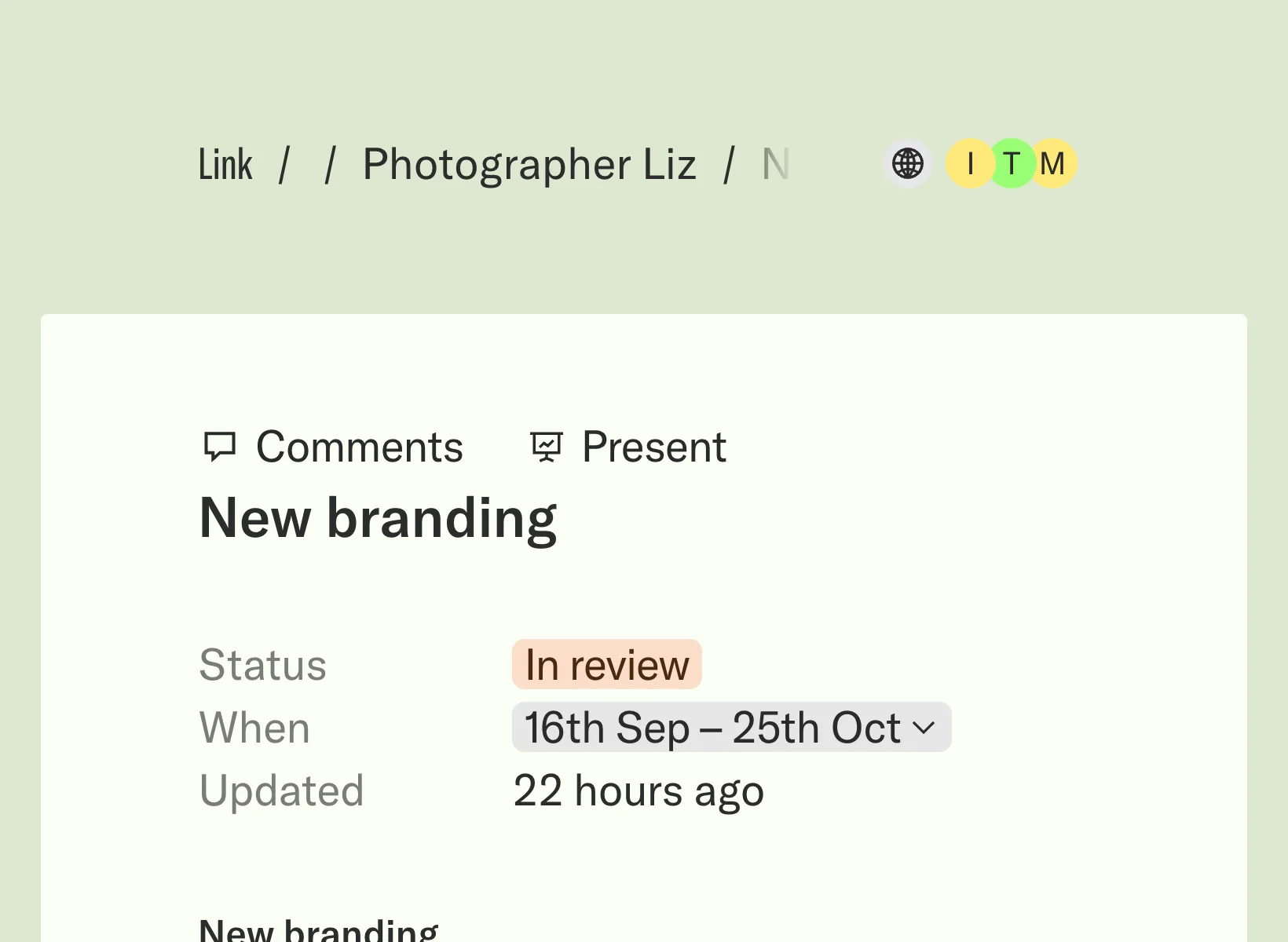
A branding project’s page on an iPad: its status, dates, brief and plan

Project pages

One project, one address

A project is a page at a Link six characters long: the brief, the files, the dates, the people and the next steps, with the status at the top. The address stays the same as the work moves on, so a client returns to the same place every time.

Write the page in Link, or keep it in Notion and let Link draw it for the client.

Learn more
/ Fjord Digital's projects with Harbor & Bloom / Platform migration Public page
July 4 → August 9, 2027 · Updated 2 days ago
Estimate sent Estimate approved In progress In review Delivered

Platform migration

Overview

Move the Harbor & Bloom storefront to the new commerce platform without losing orders, rankings, or a single day of trading.

Next milestone

Confirm the migration scope
Approve the cutover plan

Status

Every project says where it stands

From Estimate sent to Delivered, the status stands on the page beside the dates, so nobody has to write and ask. Change it in Link, and the client sees it the moment they open the Link.

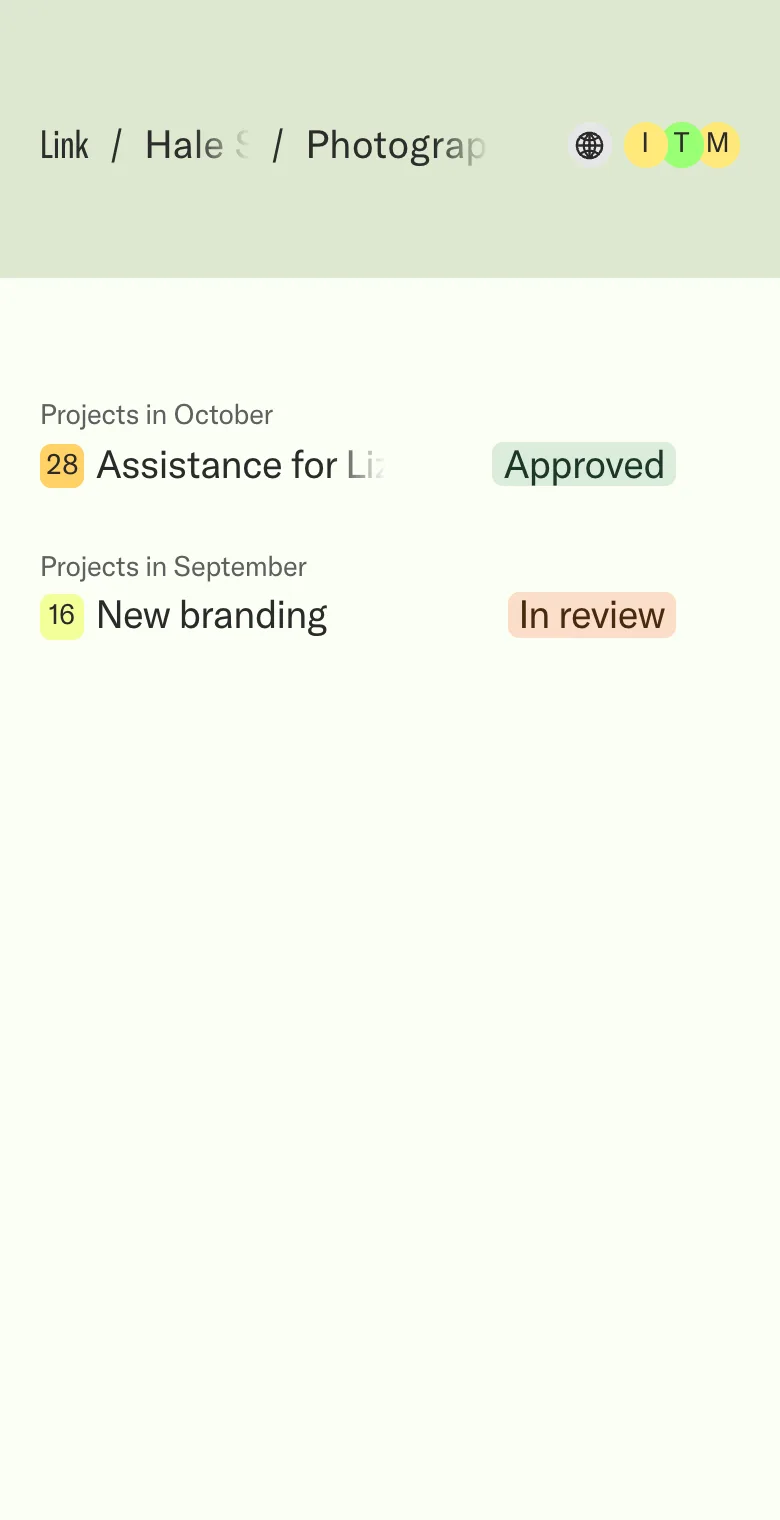
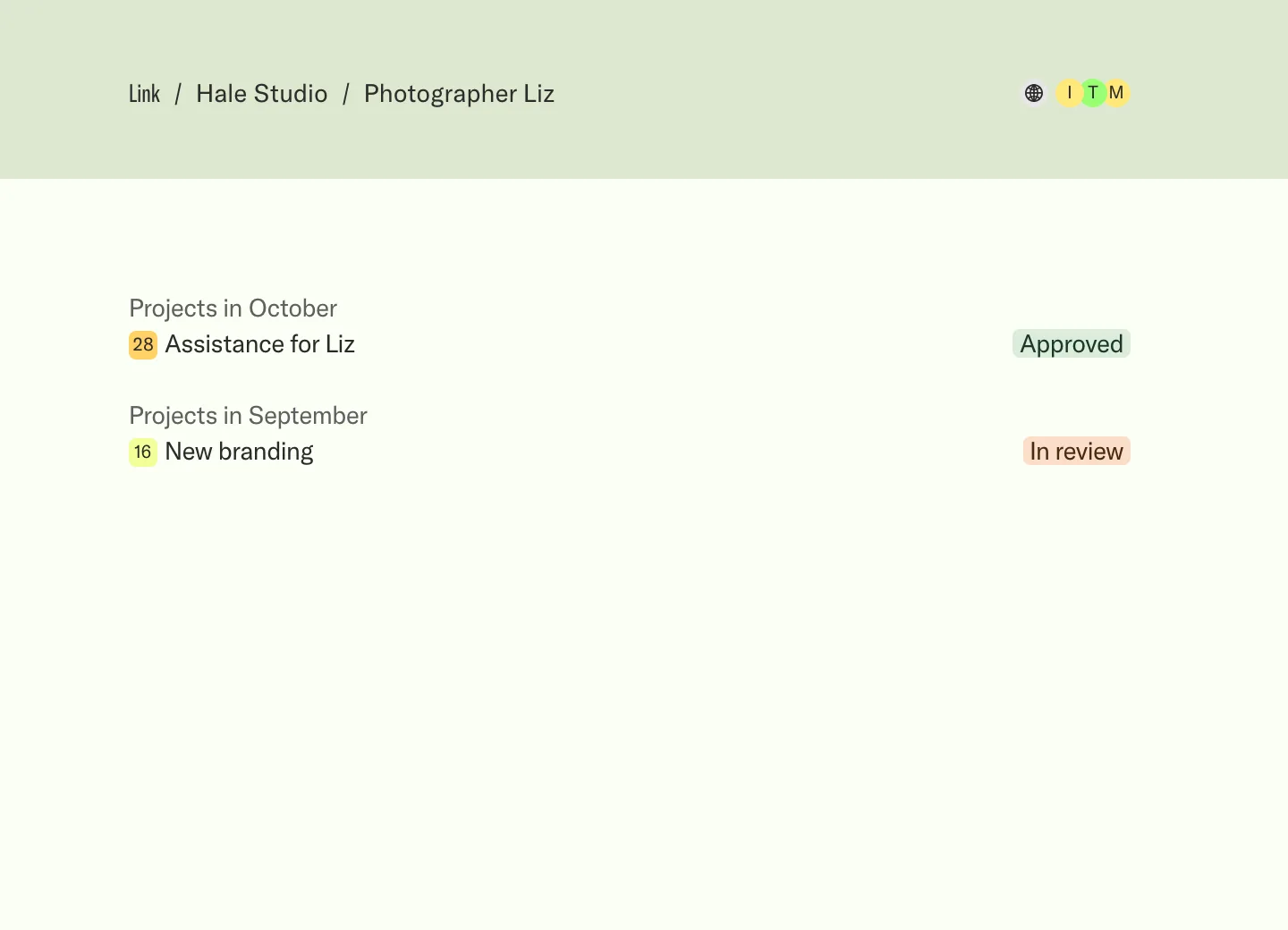
A client’s page lists their projects by month with the status of each, and Home shows you the whole studio the same way.

/ Lumen Atelier's projects with Mireille / Press day Public page
August 27 → September 30, 2027
Estimate sent Estimate approved Pricing Approve estimate Approved · 21 Aug

Press day

Overview

Turn Mireille’s press day into one calm, coordinated appointment schedule for editors, stylists, and photographers—without losing the personal welcome that sets the label apart.

Day schedule

The day runs as a sequence of forty-five minute appointments, opening with long-lead editors, moving through stylist previews, and closing with a small evening gathering for close press contacts.

• Morning appointments for long-lead editors with one-on-one collection walkthroughs.
• Afternoon stylist previews with sample pulls logged from one shared list.
• A press kit with lookbook, credits, and imagery released from one approved source.

Approval needed

Approve the $12,400 production estimate and final appointment schedule so the space, photography, press kits, and staffing can all be confirmed together.

Confirm the final appointment schedule
Approve the press kit, lookbook, and image credits
Approve the final production estimate

Estimate from Lumen Atelier

×

Only a client admin can approve this estimate after signing in. Review the details here first.

The client has approved this estimate.

Project title
Press day
Dates
27 Aug → 30 Sep
To be delivered
30 Sep
Estimate price
$12,400
Comment Approve estimateEstimate approved
your client

Estimates and approvals

A clear yes before the work begins

Put the scope, the dates and the price on the project and send it. A client admin reads it, asks what they need to in the comments and approves it with one press, signed in.

The approval is recorded on the project with its date, and you are told by email. No PDF to chase, no thread to search.

Learn more

Comments

Talk beside the work

Comments stay on the project: under the brief, on a PDF and on the live site. A client pins a comment to the spot on the page, and everyone sees who said what, where they said it.

Replies reach the inbox of those who want them there, and the conversation never leaves the project.

Learn more

Client portals

A home for every client

Each client has a portal of their own: their projects by month, with status and dates, in your brand. It opens from a public Link, or asks for their email and a six-digit code.

A client admin sees all of their company’s projects. A client user sees the ones you choose.

Learn more
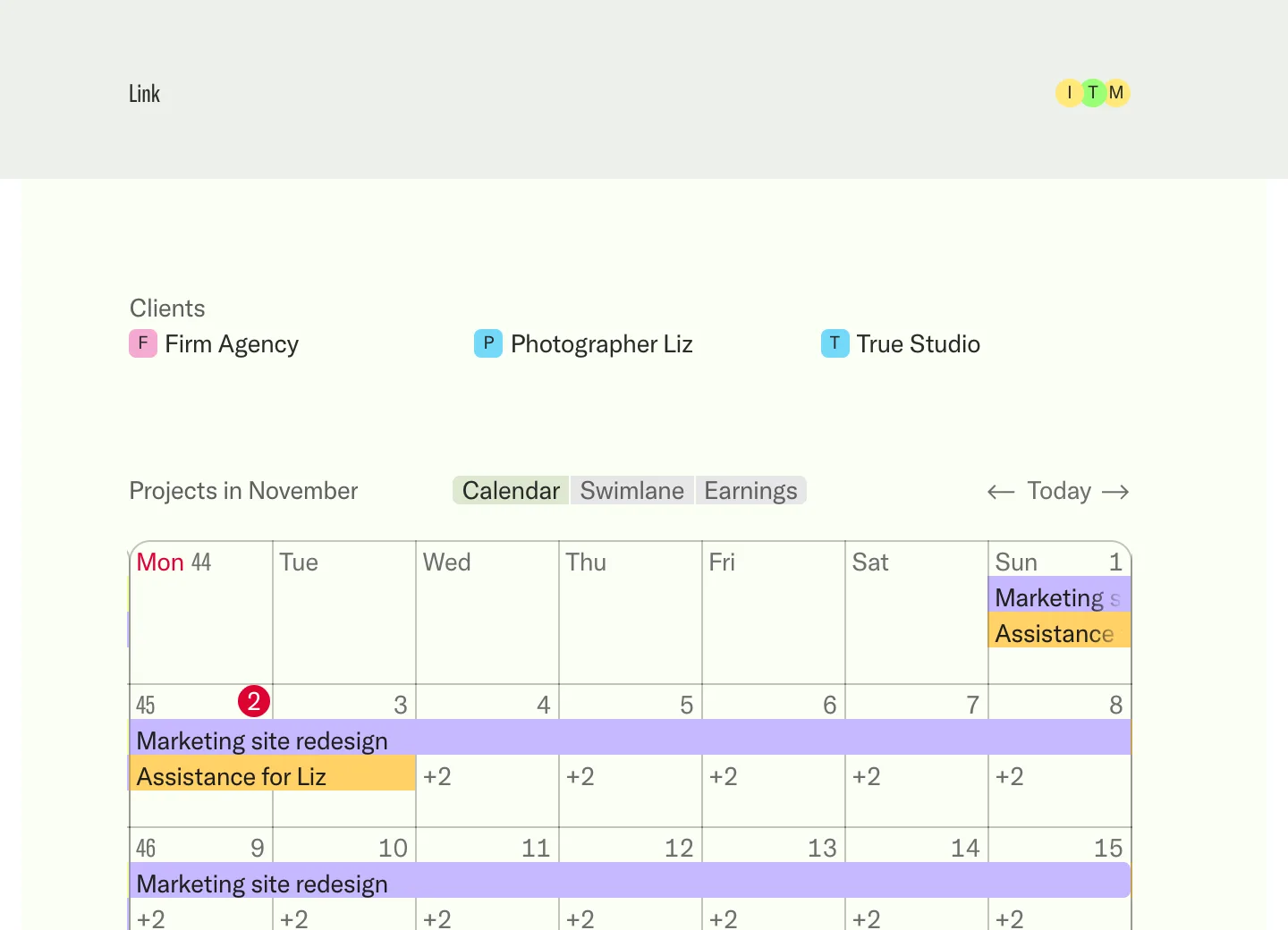
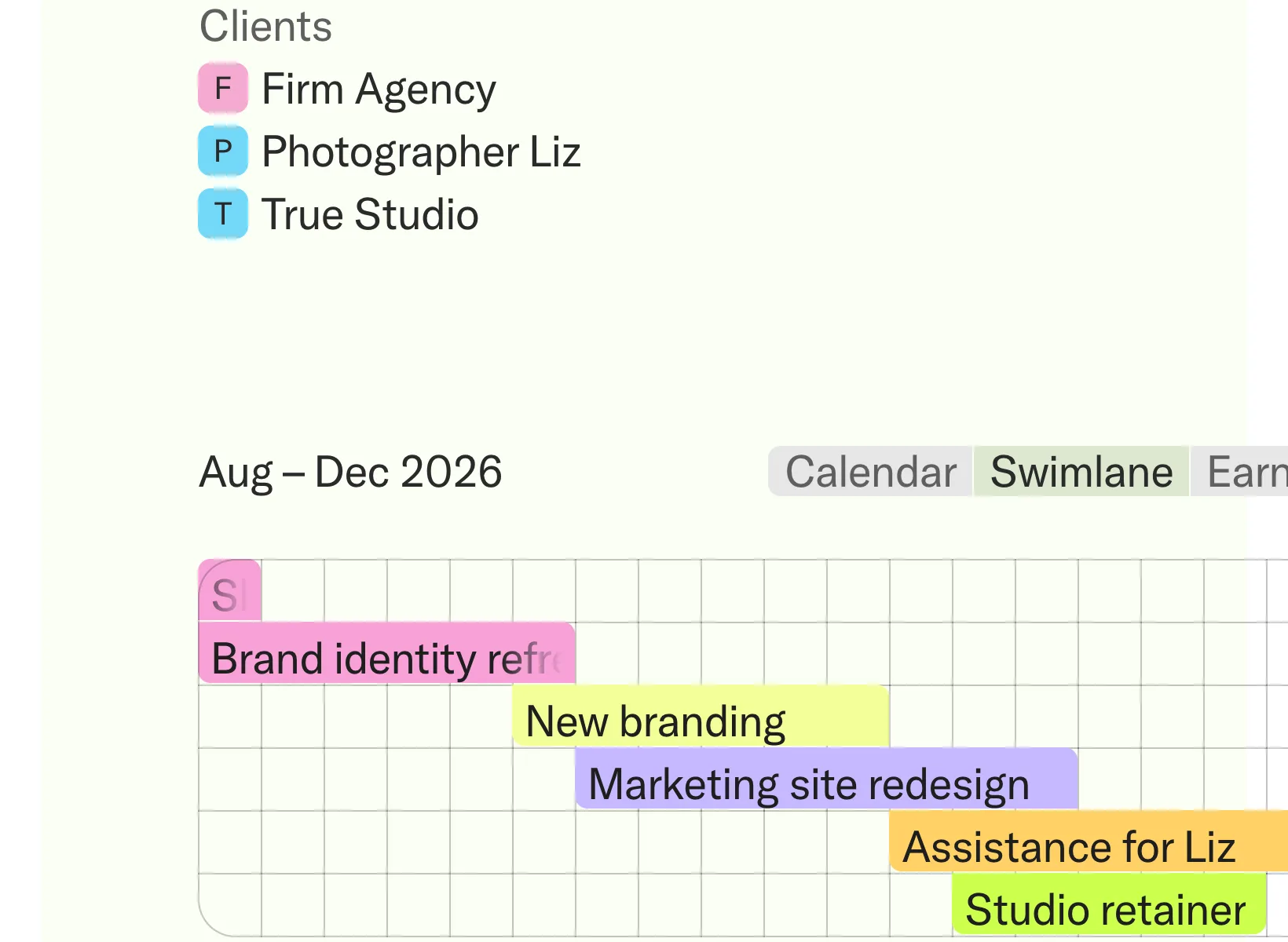
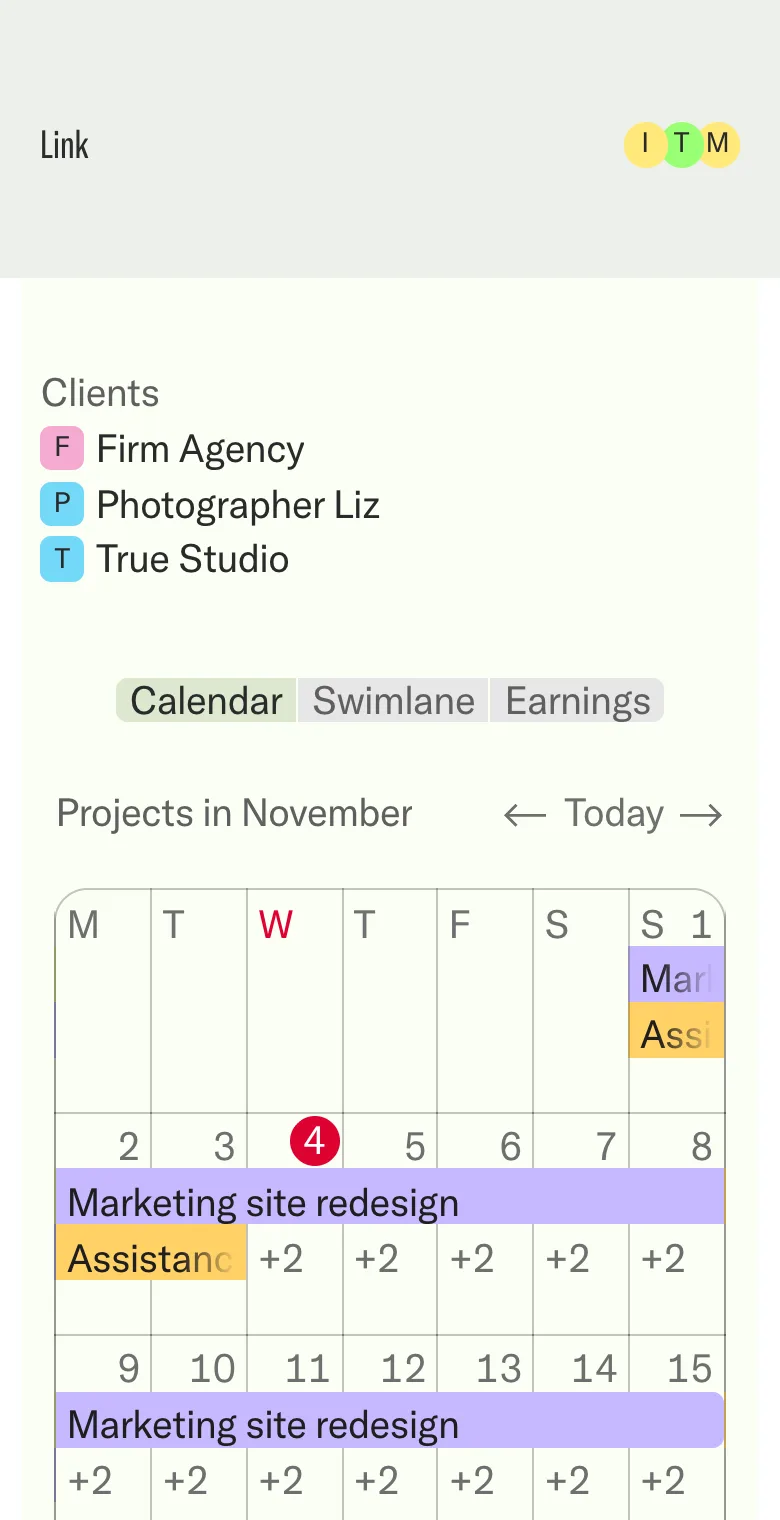
Home’s calendar with the month’s projects, in the Mac app

Calendar

Every project on one calendar

Home draws the month with every project across its days, each in its own colour. Swimlane lays the months ahead out one line a project, and Earnings shows what the months bring in.

Choose the look the calendar takes in your portal, and your clients see their projects the same way.

Learn more

Your brand

Your colours, on every page.

Type your company’s website and see your portal in its colours, with your logo and typeface.

How branding works

No website? Type the company’s name.

Fjord Digital / Harbor & Bloom
July 4 → August 9, 2027 · Updated 2 days ago

Platform migration

Overview

Move the Harbor & Bloom storefront to the new commerce platform without losing orders, rankings, or a single day of trading.

Next milestone

Confirm the migration scope
Approve the cutover plan
Typography
Chrome
Page
Text

Sharing and control

Share the work. Keep the rest private.

Public or sign-in only, seen from any side, with what visitors should not see hidden.

View as

See the page from their side

Choose a person, or the public page, and the project is drawn as they see it: the same Link, with their access and nothing more. Real access settings stay as they are while you look.

Check a page as its client before the Link goes out.

Learn more

Hale Studio

Sign in

Emailliz@photographerliz.example
Send code

A six-digit code is on its way to liz@photographerliz.example.

48219

Access

Public, or sign-in only

A public Link opens for anyone who has it. A private one asks for an email address and sends a six-digit code: no password, no account to set up.

Workspace roles manage the work. Client roles see it and review it, and a client admin looks after their own people.

Learn more

Public link

Website proposal

Share the scope with anyone who needs to review the work. The plan stays readable. The fees do not.

Prepared for Mira Name redacted. Phone Phone number redacted · Studio Location redacted.

Item Scope Fee
Brand Type, colour, and art direction Price redacted
Website Templates, CMS, and launch Price redacted
Photography Direction and edit Price redacted
Total Price redacted

Next steps stay with the people who should see them. Images, files, and attachments still need a deliberate review before a public link goes out.

Public redactions

Share the proposal. Keep the prices.

EnterpriseAutomatic redactions on public pages.

Share a proposal with anyone. On the public page, names, phone numbers, addresses and prices are hidden by themselves, and the full page stays with the people who have access.

Look the public page over with View as before its Link goes out.

See an example Learn more
/ Lumen Atelier's projects with Mireille / Fashion week dinner Public page
June 28 → August 5, 2027

Fashion week dinner

Overview

Produce Mireille’s fashion week dinner in Copenhagen: one considered evening where the collection, the room, and the guest list tell the same story—from the first invitation to the last course.

Run of show

The evening should feel effortless rather than staged—guests arrive to a warm room, the collection is present without being presented, and every transition is handled quietly by the production team.

• A confirmed guest list of forty press, buyers, and friends of the house.
• A venue plan covering arrival flow, seating, lighting, and the collection display.
• A four-course seasonal menu with the caterer, matched to the collection palette.

Next milestone

Lock the venue, menu, and final guest list in one decision so invitations, catering, and staffing can all be confirmed without interpretation gaps.

Approve the venue plan and seating arrangement
Confirm the final menu and wine pairing with the caterer
Sign off the final guest list and send invitations
Lumen Atelier/Mireille
02

A dinner built around one memorable table.

Guests, timing, atmosphere, and approvals stay together in the live project.

‹2 / 5›Syncing

Present mode

View the project as slides

Press Present on any project and its sections become slides, in your brand, at the same Link. Everyone who opens it follows the slide you are on, sharp from Link rather than through a shared screen.

Your notes stay on your screen, and the call stays on the conversation.

Learn more

For software companies

Review the live site

Link opens your site in a private preview, and the client comments on a spot or on the words of the real page. Both land on the project.

When the round is done, publish the comments the team should see.

How previews work

YouMake Verdant Coffee Roasters a client, with a project called Launch site from 23 August to 28 September. Put the brief from my notes on it, with the launch checklist.

AssistantDone. Verdant Coffee Roasters is a client in Link, and Launch site is at using.link/PC27Ls with the brief, four checklist items and the dates. Its status is Estimate sent. Shall I share it with Mira?

YouNot yet. Add a line about the stockists page first.

/ Paper Crane Studio's projects with Verdant Coffee Roasters / Launch site Public page
August 23 → September 28, 2027

Launch site

Overview

Bring Verdant Coffee Roasters’ new brand online with a launch site that carries the rebrand from shelf to screen—one clear sitemap, approved content for every page, and a checklist that takes it live.

Launch checklist

Close the remaining decisions, load the approved content, and leave the Verdant team with a clear next step and the latest live version of every page.

Sitemap and page structure approved
Final copy and photography loaded for every page
Online shop connected with roast profiles and pricing
Site handover package shared with the Verdant team

Content plan

The site moves from the brand story to the roastery, the coffees, and the shop, with every page sharing one voice, one image style, and one source for final decisions.

• A home page that introduces the rebrand with the new marque, palette, and voice.
• Coffee pages with origin stories, roast profiles, and the new packaging photography.
• A stockists and wholesale page that carries the same message as the retail launch.
Connections

Turn a conversation into a project

Connect your assistant to Link and it makes clients, drafts briefs and updates projects from what you tell it, with your permissions and no more. It reads first, and writes when you allow it.

Twenty tools over MCP, and Disconnect in Settings when you are done.

Connect your assistant

Notion, if you use it.

Keep your projects in Notion and connect them: Link draws each one as the client sees it, and writes back what the client does.

Explore the Notion integration Start free
Summer campaign

Summer campaign

Next steps

To move forward, please confirm the following:

Visual direction — Final approval of the overall visual direction
Payment terms — Approval of the 50% upfront payment. Once proposal approved, we will send the invoice for the upfront payment
Venue walk-through, Tuesday, July 14 at 11:00 AM — Confirmation awaiting, Maren is contacting the venue manager
Walk-through filming — Please let us know by Monday if there are any specific areas or details you need us to film during the venue visit
Venue restrictions — Confirmation of any practical restrictions for delivery, hanging, installation, or pack down
Number of racks — Confirmation of the final number of clothing racks needed
Number of hangers — Confirmation of the final number of hangers needed for the clothing racks
Final logistics — Final confirmation of delivery, setup, pack down, and item pickup timing on August 6, with venue access from 8:00 AM and our team arriving from 8:30 AM
/ Tidewater Studio's projects with Northlight Apparel / Summer campaign Public page
Summer 2027 · Updated today

Summer campaign

Next steps

To move forward, please confirm the following:

Visual direction — Final approval of the overall visual direction
Payment terms — Approval of the 50% upfront payment. Once proposal approved, we will send the invoice for the upfront payment
Venue walk-through, Tuesday, July 14 at 11:00 AM — Confirmation awaiting, Maren is contacting the venue manager
Walk-through filming — Please let us know by Monday if there are any specific areas or details you need us to film during the venue visit
Venue restrictions — Confirmation of any practical restrictions for delivery, hanging, installation, or pack down
Number of racks — Confirmation of the final number of clothing racks needed
Number of hangers — Confirmation of the final number of hangers needed for the clothing racks
Final logistics — Final confirmation of delivery, setup, pack down, and item pickup timing on August 6, with venue access from 8:00 AM and our team arriving from 8:30 AM
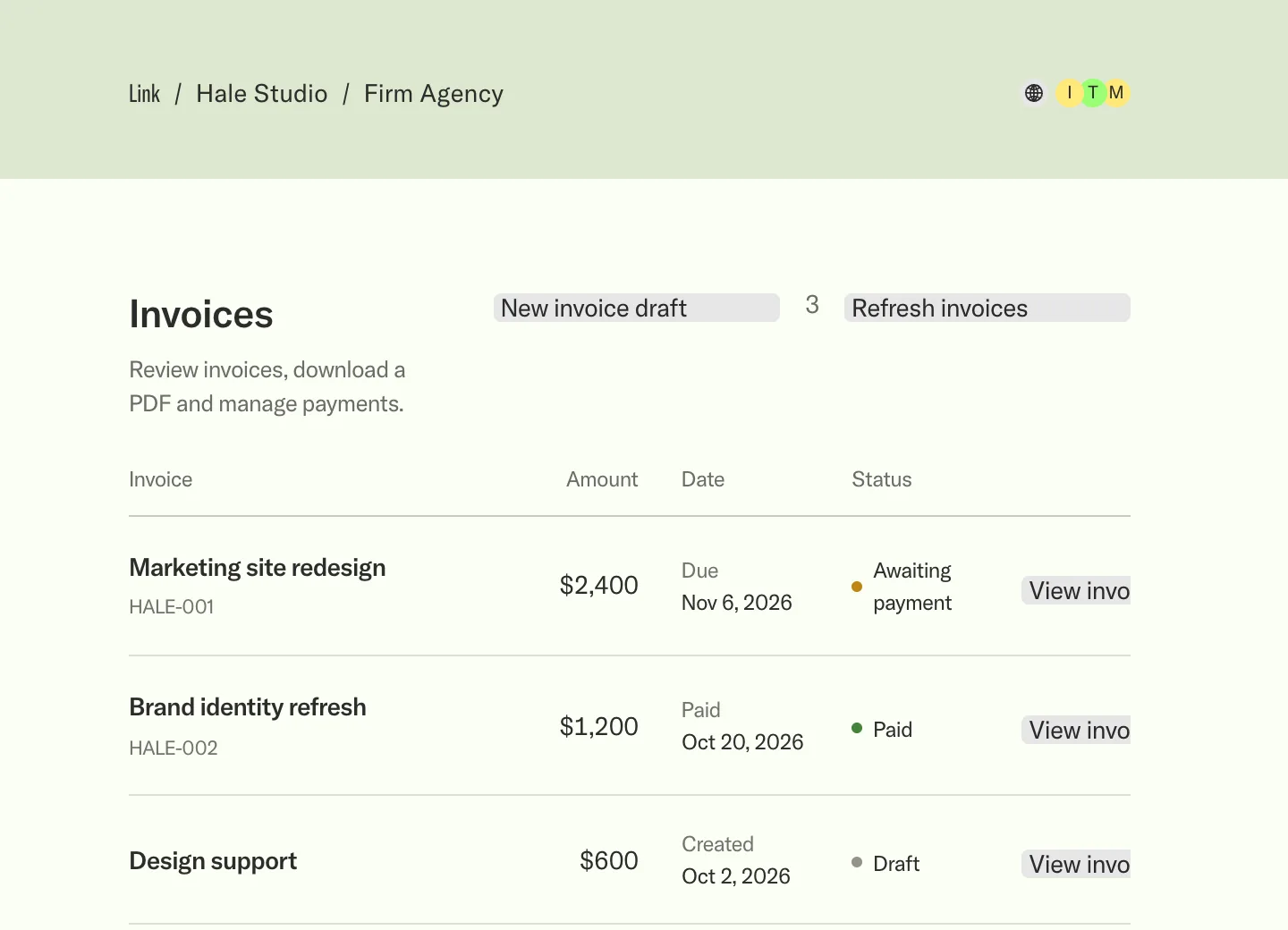
A client’s invoices: one awaiting payment, one paid and one in draft

Invoices

Bill from the project

Prepare the invoice in Link from the project, read its lines and the PDF, then send it through your connected Gmail in your brand. Clients pay the way you agreed, and you mark it paid when it arrives.

Learn more
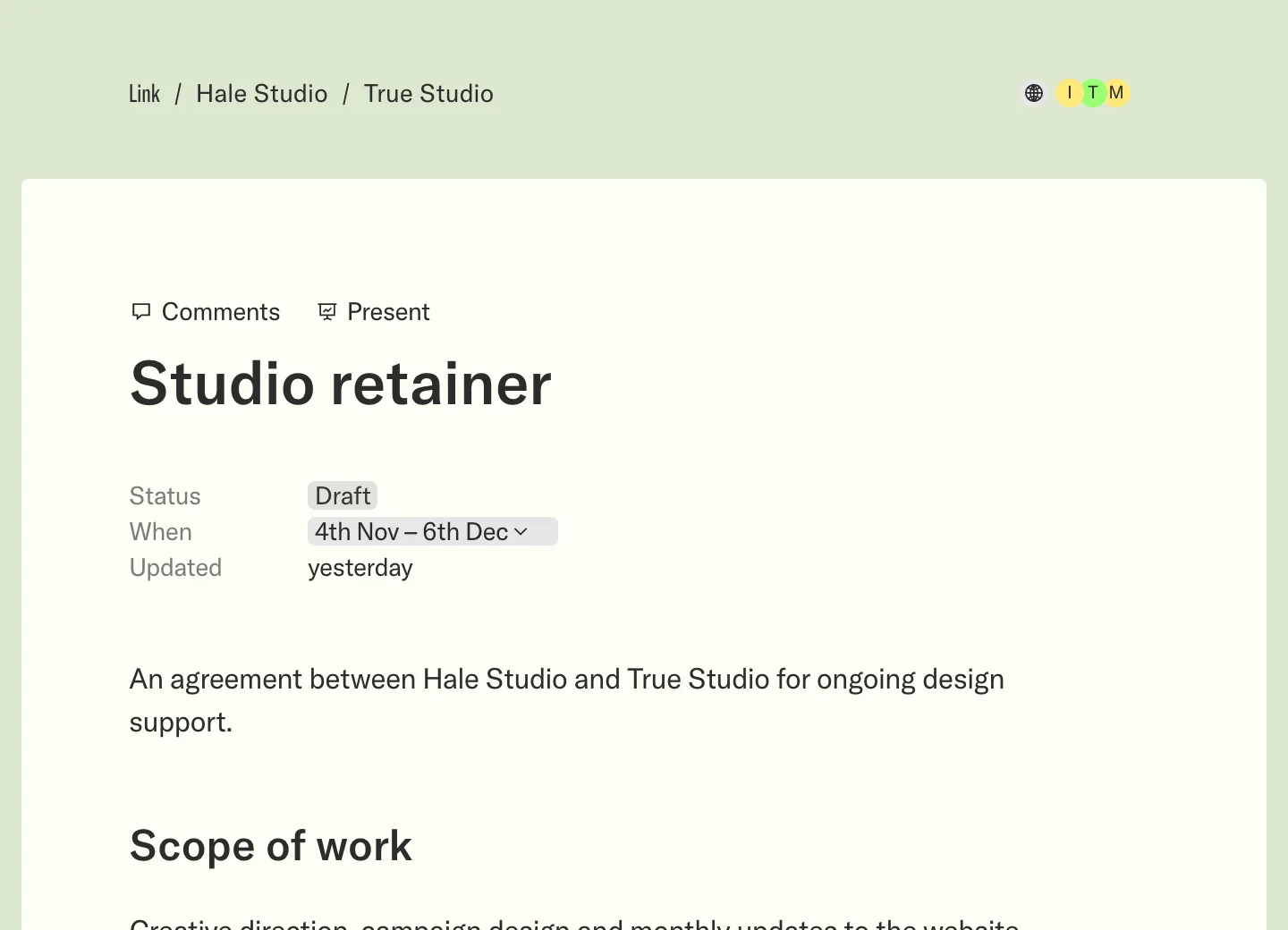
A studio retainer as a project page, with its scope of work

Agreements

Agree the terms on the page

A retainer or a scope is a project page too: readable, in your brand, standing beside the projects it covers, shared with the people who should read it. A shared document, not an electronic signature.

Learn more

Everywhere

On every screen.

Link runs in any browser, on a phone’s screen made for it, and as an app for the Mac.

Link for Mac

And the rest.

Branded emails Business Updates in your brand. Invitations and shared projects go out in your logo, colours and typeface. Send yourself a test from Settings before a client sees one. Your own domain Business Your portal, at your address. Run the portal on your own domain. Clients sign in at /login, and each client finds their portal at their own name.
Address Who it is for
/login Everyone signs in
/verdant-coffee-roasters Verdant Coffee Roasters’ portal
/mireille Mireille’s portal
/link Your team’s portal
Languages Twelve languages. Each person reads Link in their own: Dansk, Deutsch, English, Espanol, Francais, Islenska, Norsk bokmal, Portugues (Brasil), Suomi, Svenska, 한국어, 日本語. Email The emails you choose. A comment, an approval or a change of status can reach the inbox. Each person chooses which in Settings. Mac app Link for Mac. Link in its own window on the Mac, a download away, with the same workspaces as the web. Roles The right role for each person. Link admins and users on your side, client admins and users on theirs, and outside collaborators on the projects you choose. Managing the work stays apart from reading it. Getting started Set up in minutes. Sign up, name your company and choose your brand. Your first client and project can come from your assistant, or from Link. Help A guide for every step. Guides for you and for your clients, written for Link as it works today, with pictures of the real app.

Start with one client. Invite them free.

Every workspace starts on the Free plan. Business and Enterprise add branded emails, your own domain and redactions.

Start free See pricing Book a demo

Link

  • Features
  • Apps
  • Pricing
  • Connect your assistant
  • Notion integration
  • Link for Mac

Help

  • Help center
  • Questions and answers
  • Book a demo

Company

  • About Link
  • Jobs
  • Data deletion
  • Log in

© 2026 Link, made by 0001. Your work, ready for clients.

  • Privacy
  • Terms
English
Get started for Free
Setting up your LinkConnecting your workspaceOrganizing your clients and projectsApplying your brandOpening your portalLoading...